Swap models without touching your code.
Your app asks for one model name. You decide what’s behind it, and new requests follow. If a model goes down, the next one on your list picks up.
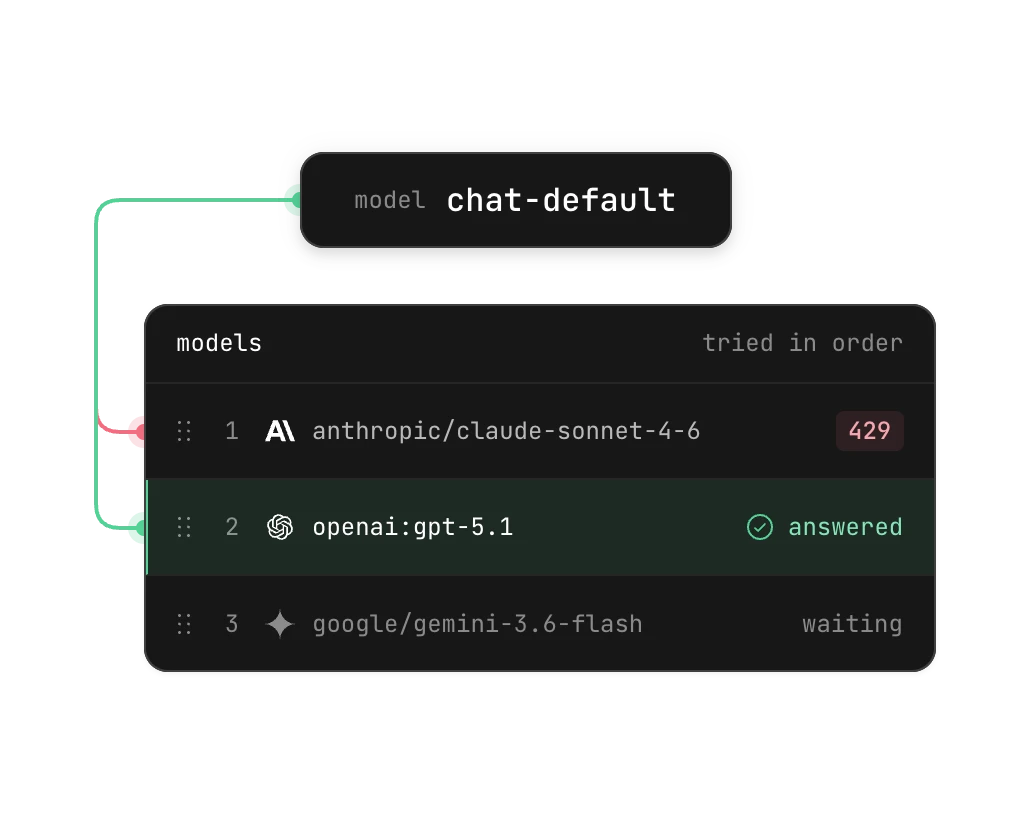
Stay up when a provider goes down.
If a model is rate limited or down, the next one on your list answers. Your users keep getting responses.
Create a virtual model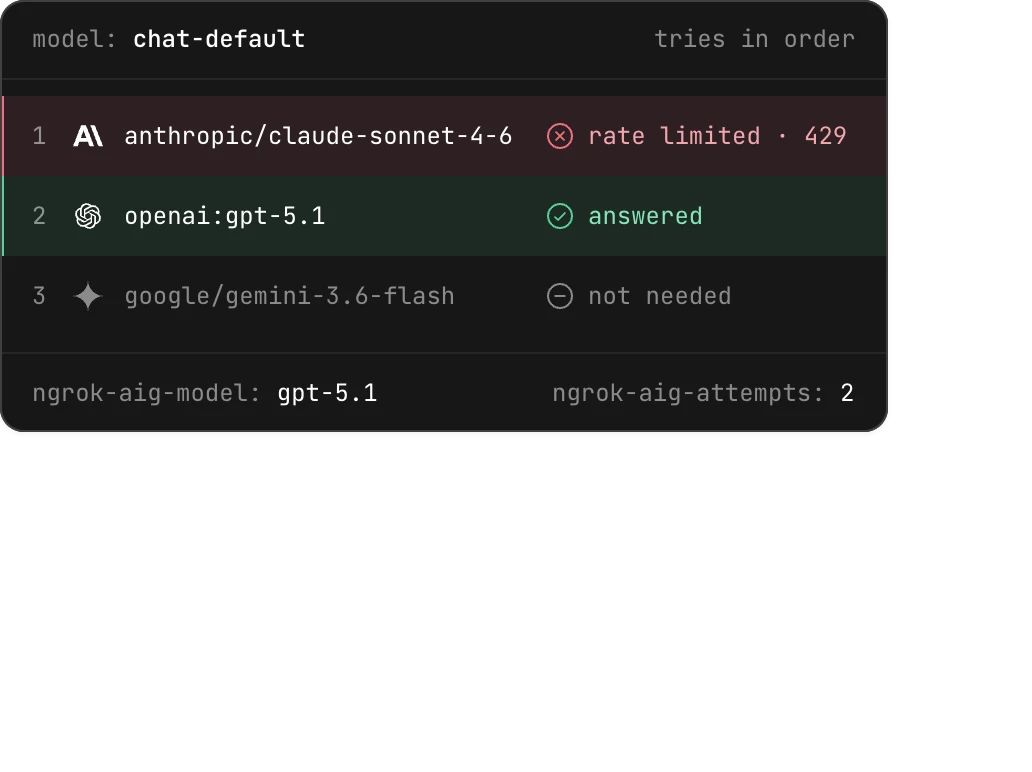
Mix your own models with hosted ones.
Put a self-hosted model in the same list as hosted providers, so you use your own hardware first and fall back to the cloud.
Learn how models are named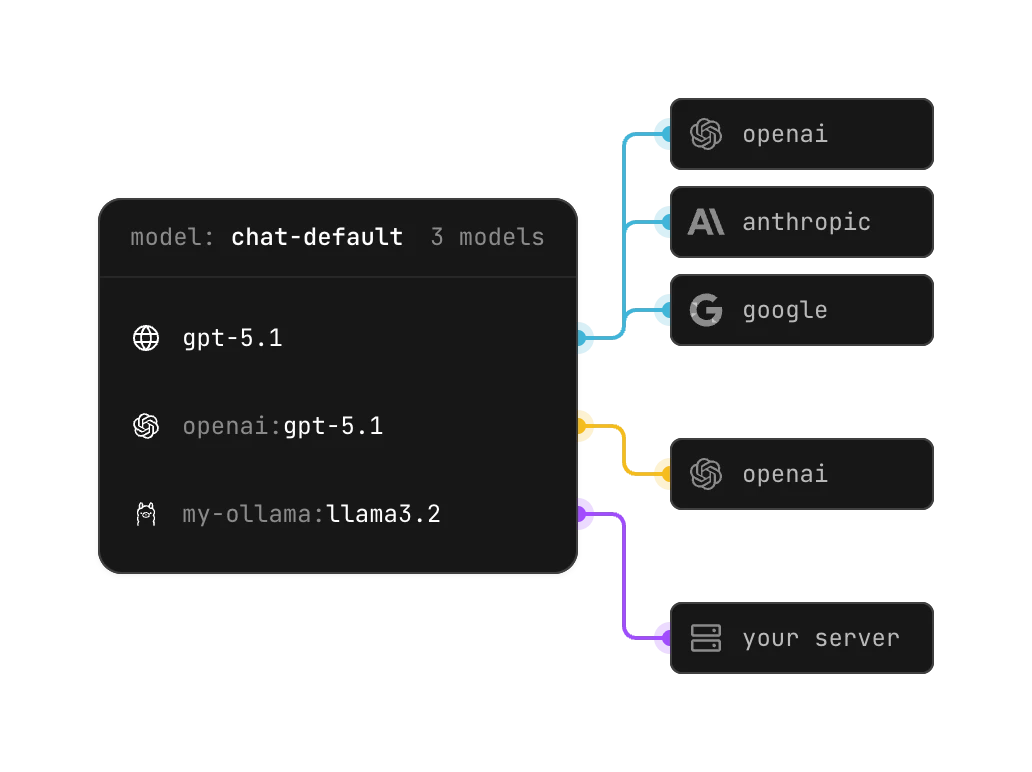
Give every app the same model name.
Point them all at one virtual model and change what’s behind it in one place. Tools that only take one model name get failover too.
Read the guide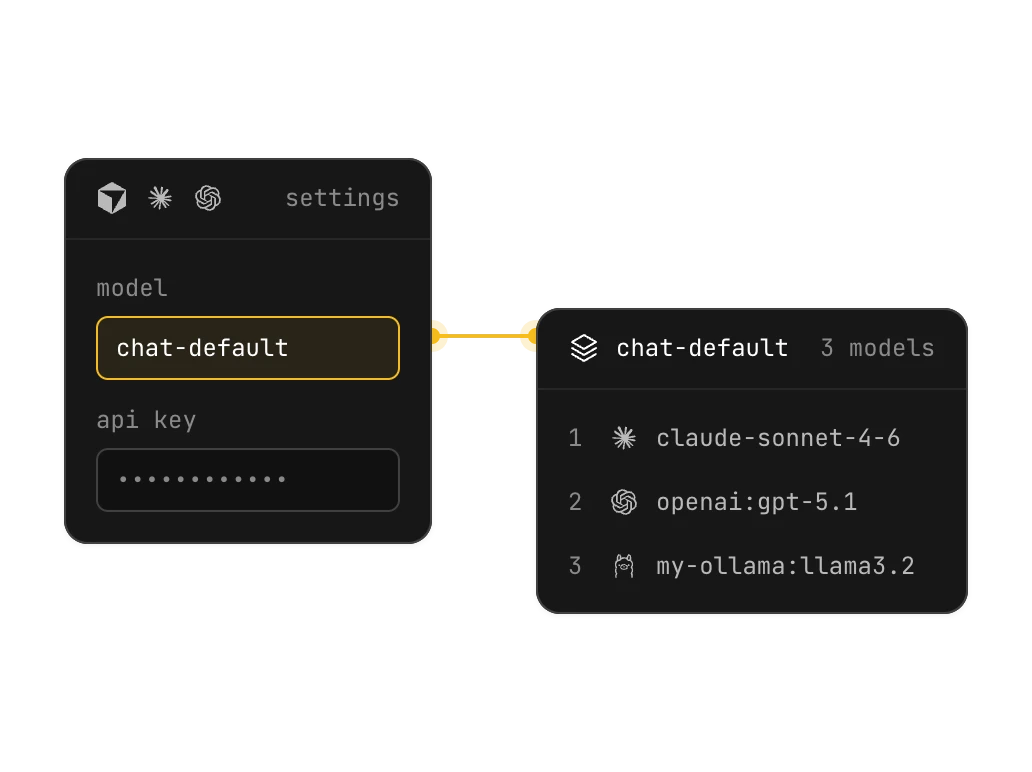
Know which model actually answered.
Every successful response says which model answered and how many tries it took, so you can tell which model gave a bad answer.
See the response headers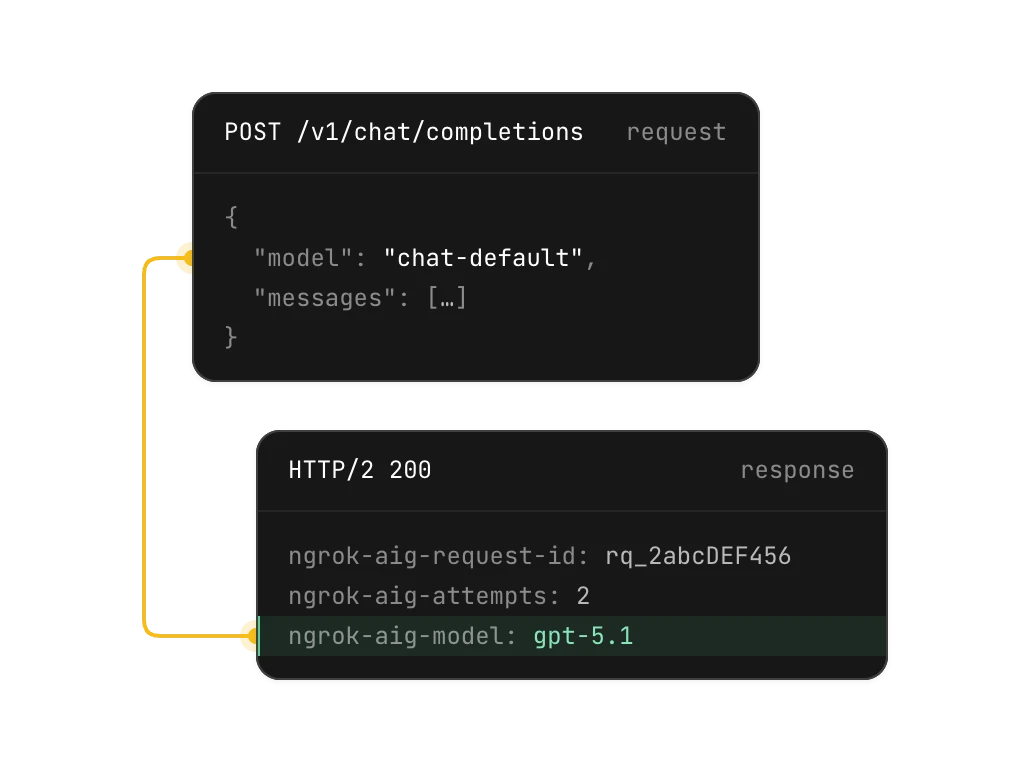
Try a new model the day it ships.
Put it at the top of your list and new requests use it. You don’t need a pull request or a deploy.
Swap mid-incident
Reorder the list and new requests follow it, with no deploy.
Set up in minutes
Add models, put them in order, and pin a provider when you need to.
In the tools you already use
Your virtual models show up when a tool lists the models a key can use, so people can pick one like any other.
Make your first virtual model.
Name it, add two models, and point a request at it.